Y Entiende Corazón AI Video
Lip-sync Prince Royce's bachata hook with your own face.
Source clip · 5s / 10s / 15s · without any face replacement.
The Y Entiende Corazón trend is a close-up lip-sync to the sped-up chorus of Prince Royce's 2010 bachata Recházame. The line is "y entiende, entiende corazón, por favor" — and understand, understand, my heart, please — and the joke is how much feeling people put into it. The clip is one person, filmed at arm's length against a brick wall, mouthing the line with an exaggerated expression. No cuts, no crowd, no camera movement.
What this page actually does
You upload one photo. The model replaces the person lip-syncing with the person in your photo and keeps the mouth movement, the head tilt, the brick wall and the framing. You are not editing a timeline and you are not uploading a video. The source is already here, cut into 5, 10 and 15 second versions. The full clip runs about 14.8 seconds, so the 15 second option uses the entire take.
The output is an MP4 you can download. 480p is the cheapest, 720p is the right choice for TikTok, Reels and Shorts, and 1080p is an upscale of the 720p render for downloads or re-editing.
Why this clip works as a template
The face fills most of the frame for the whole take, and the camera barely moves. That is the easiest case for a character replacement: the model has a large, stable face to track and a background that does not change. There is no foreground person crossing the face, and no second subject to confuse it.
The performance is a lip-sync, so the mouth is the part that matters. Keep the source audio in mind: the lip movement was performed to the track. If the rendered file is silent, add the same sound in TikTok or Reels and the mouth will line up.
What makes a good source photo
Use a sharp, front-facing photo with even light and the whole face visible. Avoid sunglasses, heavy shadow across one side, extreme angles and group photos. The model only sees the face you give it, so a clear phone photo in daylight beats a stylised portrait. One person per photo: if two faces are visible, the model has to guess which one you meant.
Where it breaks
Fast head turns and hands crossing the mouth are the usual failure points. In this clip the performer stays mostly centred, so the risk is lower than a dance clip with a moving camera. Very dark photos, or photos where the face is partly covered by hair, are the most common cause of a soft result. If the first render looks wrong, try a clearer photo before changing the clip.
Before you upload
Use a photo of yourself, or of someone who has given you permission, and confirm that the person is 18 or older. Do not use photos of public figures, and do not use this page to imply that Prince Royce or the original creator endorsed the result. The clip belongs to its original creator; this is an independent tool and is not affiliated with them.
Renders that fail are refunded to your credit balance automatically, so a bad attempt costs you nothing but time.
How to make it
- 1Upload one clear, front-facing photo of the person you want in the clip.
- 2Pick this clip, then choose 5, 10 or 15 seconds and 480p, 720p or 1080p.
- 3Generate. Rendering runs in the background; the finished MP4 appears on the job page.
Questions
Can I put my own photo into the Y Entiende Corazón AI Video clip?+
Yes. Upload one clear, front-facing photo of a single person, choose 5s, 10s, 15s, and the model replaces the performer in the Y Entiende Corazón AI Video clip with that person while keeping the original motion and camera work.
How long does a Y Entiende Corazón AI Video render take?+
Most renders finish in 5 to 20 minutes. Rendering runs in the background, so you can close the tab and come back to the job page later. Longer 15s clips at 1080p take the most time.
What resolutions can I export?+
Every clip renders at 480p or 720p, and 1080p is produced by upscaling the 720p result. 720p is the best choice for TikTok, Reels and Shorts; 1080p is for downloads and re-editing.
Do I need the original Y Entiende Corazón AI Video video file?+
No. The source clip is already hosted here, cut to 5s, 10s, 15s. You only provide a photo — nothing is uploaded except the face you want to use.
What happens if the render fails?+
Credits are refunded automatically to your balance. You can open the job page and retry, or start a new render from this page. No support ticket is needed for a failed render.
Is this the official Y Entiende Corazón AI Video page?+
No. This is an independent fan-made tool. It is not affiliated with, endorsed by, or sponsored by the original creator, performer or rights holder. You are responsible for having permission to use any photo you upload.
More trends
All trends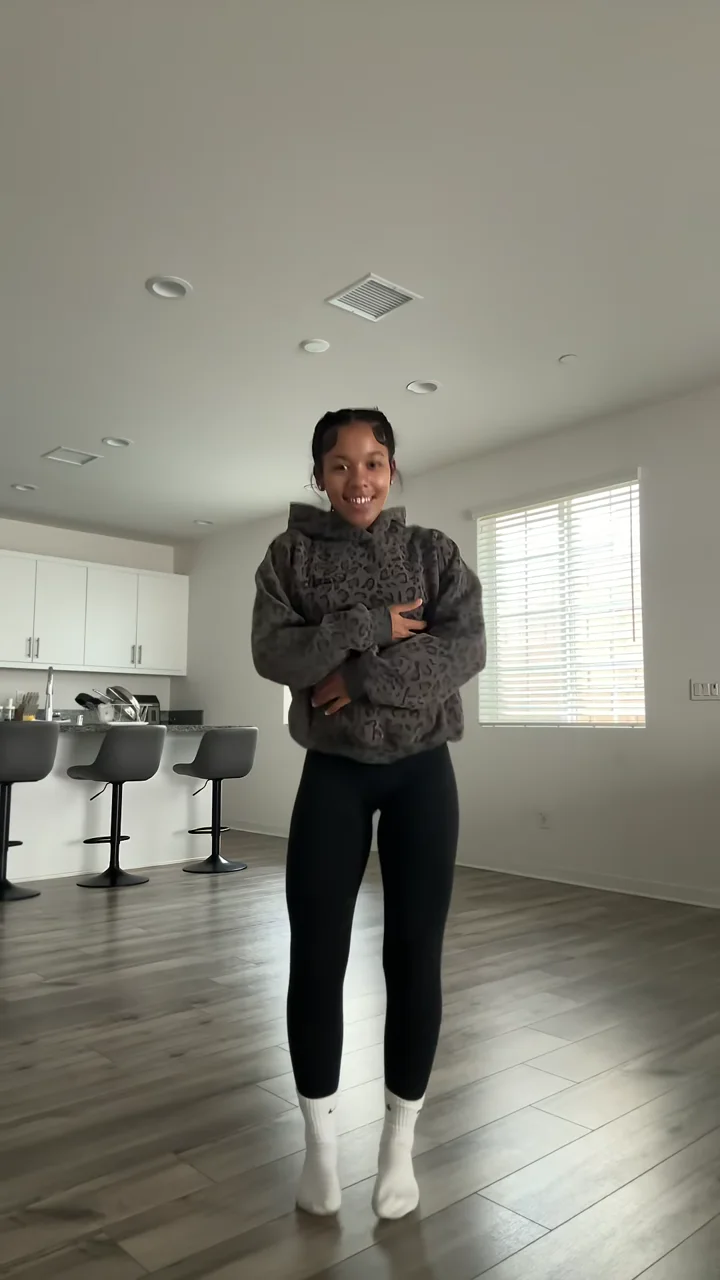
Put yourself in this clip
Uses your own photo only. No video upload, no editing timeline — pick the clip, pick a length, generate.
Start with Y Entiende Corazón AI VideoThis page is an independent fan-made tool. It is not affiliated with, endorsed by or sponsored by the original creator, performer or rights holder. Use only photos you have permission to use. See our Terms and DMCA policy.